Focal
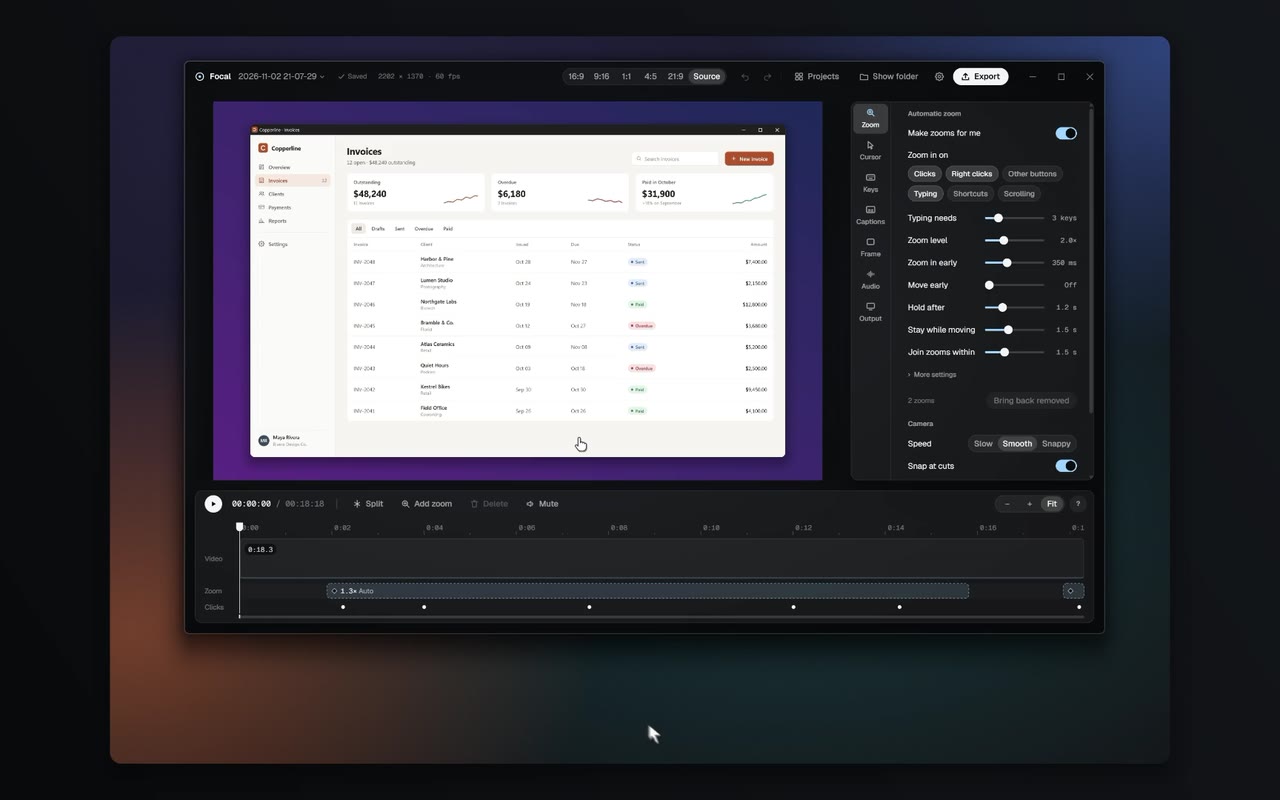
A screen recorder for Windows that makes recordings look edited without editing. It records the screen without the cursor, then adds zooms that follow your clicks, a crisp cursor, captions and a frame afterwards.
- Client
- Our own product
- Role
- Solo developer: design, engineering and website
- Type
- Desktop app for Windows
- Status
- Version 1.0 released November 2026
The problem
A good product demo or tutorial needs zooms on what matters, a cursor you can follow and a clean frame around it. On Windows that usually means recording, then spending an hour in a video editor placing every zoom by hand.
Focal does that work for you. It knows where you clicked and typed, so the zooms are already in place when the recording stops, and everything stays on your computer.
What we built
Record anything
A monitor, a window or a region, with the microphone and system audio, from one shortcut.
Automatic zooms
Zooms that follow your clicks and typing, with smooth camera moves you can adjust or replace.
A cursor added afterwards
The cursor is logged as data instead of filmed, then drawn sharp and smooth at export.
Captions on your computer
Captions in 26 languages, made without uploading anything, and editing by the transcript.
Camera and keystrokes
An optional webcam bubble in sync with your voice, and an optional pill showing the keys you press.
An editor
Trims, clip speed, backgrounds, padding, aspect presets from 16:9 to 9:16, and styles you can reuse.
Fast export
MP4 up to 4K at 60 fps, or GIF, several times faster than real time on a modern GPU.
The website
focalcapture.com, with downloads, pricing and a changelog, plus updates that install in place.
How it works
Most recorders film the screen with the cursor and any effects baked in. Focal records the raw screen and logs the input separately on one shared clock, so every zoom, cursor and caption is added when you edit and can be changed later.
Recording and export run on the graphics card. Frames go from screen capture to the hardware video encoder without leaving the GPU, and the editor preview uses the same drawing code as the export, so what you see is what you get.
There is no account, no sign-in and no telemetry. Recordings, captions and edits stay on the computer they were made on.
By the numbers
- caption languages
- 26
- export
- 4K60
- Rust crates
- 20
- accounts or telemetry
- 0
Related services
Have a project in mind?
Tell us what you're building and we'll come back with next steps.
Start a project